


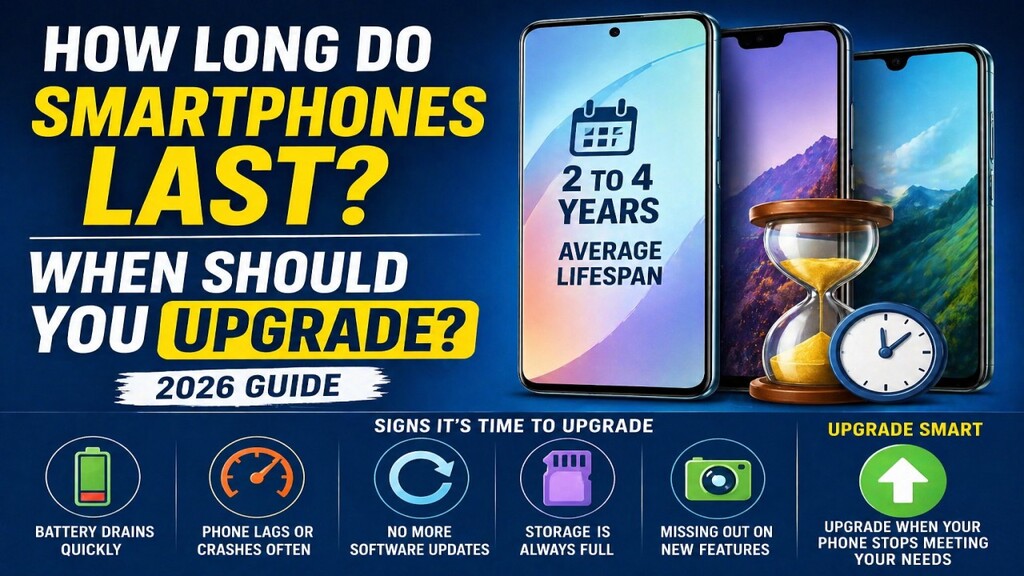
How Long Do Smartphones Last
Smartphones have become an essential part of daily life. From communication and entertainment to payments and productivity, everything runs through your phone. But one question most people eventually ask is:
👉 How long does a smartphone actually last?
👉 And when is the right time to upgrade?
If you’ve ever wondered whether to keep using your current phone or buy a new one, this guide will help you make a smart decision—without falling for marketing hype.
🧠 Average Lifespan of a Smartphone
In 2026, most smartphones last:
👉 2 to 4 years comfortably
But the exact lifespan depends on:
- Usage habits
- Brand and build quality
- Software updates
- Battery health
📊 Quick Breakdown:
- Budget phones → 2–3 years
- Mid-range phones → 3–4 years
- Flagship phones → 4–5 years
👉 Premium phones last longer because they have better hardware and longer software support.
🔋 What Actually Wears Out a Smartphone?
Phones don’t suddenly stop working—they gradually slow down or become less reliable. Here are the main reasons:
1️⃣ Battery Degradation (Biggest Factor)
Your battery is the first component to age.
Over time:
- Charging becomes slower
- Battery drains faster
- You need to charge more often
👉 Most batteries lose noticeable capacity after 2–3 years.
2️⃣ Software Updates and Support
Modern smartphones rely heavily on software.
After a few years:
- Updates stop
- Security patches become rare
- New apps may not run properly
👉 This is a major reason people upgrade—even if hardware still works.
3️⃣ Performance Slowdown
As apps become heavier:
- Older processors struggle
- Lag increases
- Multitasking becomes difficult
👉 Especially noticeable on budget devices.
4️⃣ Storage Limitations
Over time:
- Photos, videos, apps fill storage
- Phone becomes slower
- Updates fail due to lack of space
5️⃣ Physical Wear and Tear
Daily usage causes:
- Screen scratches
- Button wear
- Charging port issues
👉 Even a well-maintained phone shows signs of aging after a few years.
⚡ Signs how long do smartphones last
Instead of upgrading blindly, look for these real signs 👇
🔻 1. Battery Doesn’t Last a Day
If your phone:
- Drops quickly from 100% to 20%
- Needs charging multiple times
👉 It’s a strong upgrade signal.
🔻 2. Frequent Lag and App Crashes
If apps:
- Take longer to open
- Freeze or crash often
👉 Your hardware is struggling.
🔻 3. No More Software Updates
If your phone:
- Stops receiving Android/iOS updates
- Misses security patches
👉 It becomes less secure over time.
🔻 4. Storage Always Full
Constant “storage full” warnings mean:
- Your phone is outdated for current needs
🔻 5. New Features Missing
Modern phones offer:
- Better cameras
- Faster charging
- AI features
👉 If your phone feels outdated, upgrading makes sense.
🧠 When You SHOULD NOT Upgrade
Not everyone needs a new phone every year.
Avoid upgrading if:
- Your phone still runs smoothly
- Battery lasts most of the day
- You receive updates
- Your usage is basic
👉 Upgrading too often wastes money.
📊 How Long Do Smartphones Last (Different Types)
🔹 Budget Phones (₹10K–₹20K)
- Lifespan: 2–3 years
- Limitations: slower processors, fewer updates
🔹 Mid-Range Phones (₹20K–₹40K)
- Lifespan: 3–4 years
- Balanced performance
🔹 Flagship Phones (₹50K+)
- Lifespan: 4–5 years
- Better durability + longer updates
🔋 Can You Extend Your Phone’s Life?
Yes—simple habits can add 1–2 extra years 👇
✅ 1. Take Care of Battery
- Avoid overheating
- Don’t drain to 0% regularly
- Use original chargers
✅ 2. Keep Storage Clean
- Delete unused apps
- Use cloud storage
✅ 3. Update Software Regularly
- Improves performance
- Fixes bugs
✅ 4. Use Protective Case
- Prevents physical damage
✅ 5. Avoid Heavy Background Apps
- Improves speed
- Saves battery
🔄 Repair vs Upgrade: What Should You Do?
Sometimes, fixing your phone is better than replacing it.
🔧 Repair if:
- Only battery is weak
- Screen is damaged
- Phone still performs well
🔁 Upgrade if:
- Phone is slow overall
- No software updates
- Multiple issues
👉 Rule:
If repair cost > 40% of new phone → upgrade
💡 Real Talk: When Should YOU Upgrade?
Let’s simplify it:
- Casual users → every 3–4 years
- Gamers / heavy users → every 2–3 years
- Tech enthusiasts → every 2 years
👉 Most people fall into the 3-year upgrade cycle
⚠️ Common Mistakes to Avoid
❌ Upgrading just for trend
❌ Buying expensive phone unnecessarily
❌ Ignoring battery replacement option
❌ Not checking software support
🏁 Final Verdict
Smartphones in 2026 are built to last longer than ever. With proper care, most devices can easily serve you for several years.
But the right time to upgrade depends on:
👉 Performance
👉 Battery health
👉 Software support
👉 Your personal needs
✅ Bottom Line
You don’t need to upgrade every year. Upgrade when your phone stops meeting your needs—not when marketing tells you to.
✍️ Author
Written by Anurag Chaubey
Tech writer at Freefundas.in, focused on practical smartphone advice and real-world insights.